Why WhatsApp and not a driver app
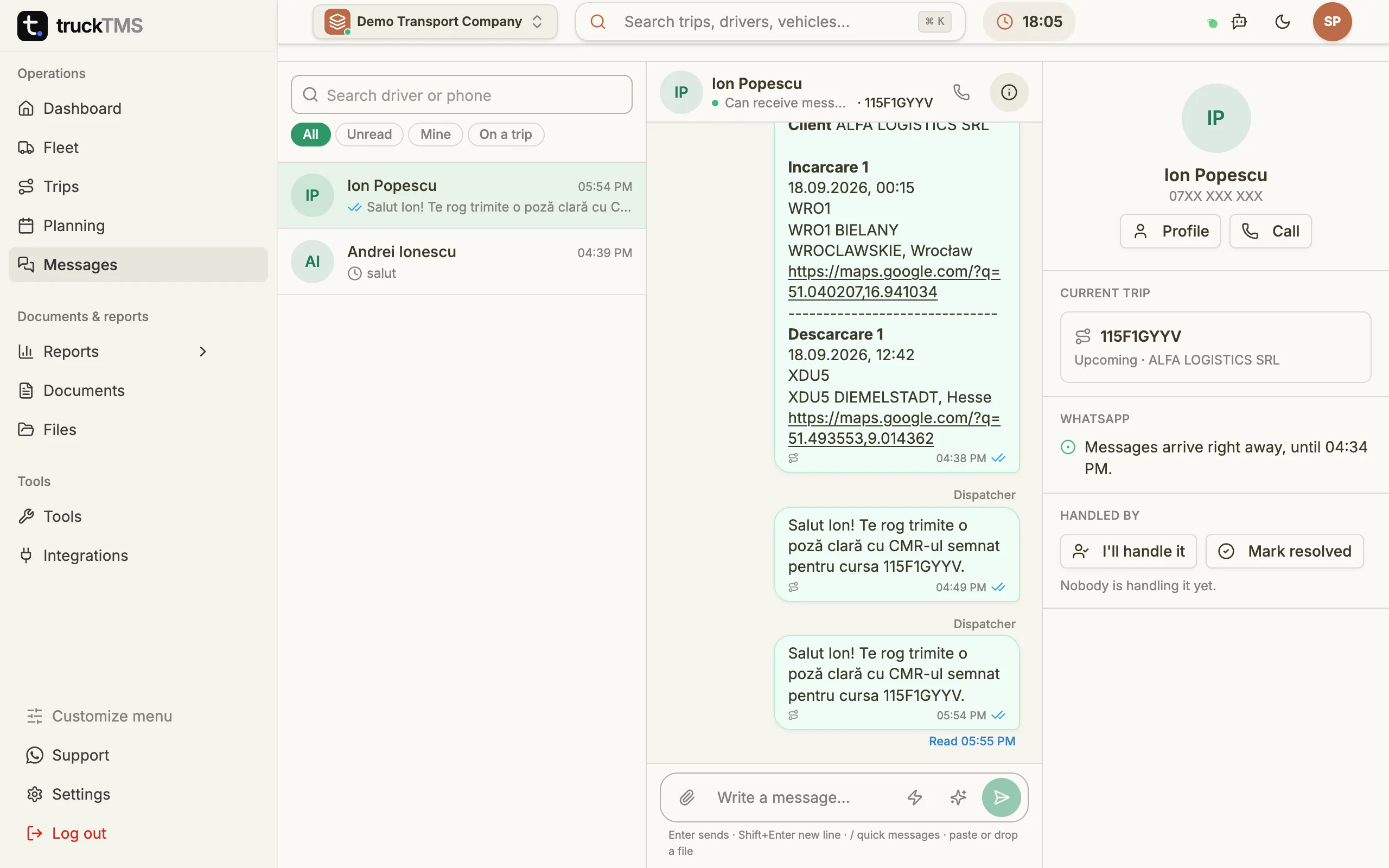
Nearly every truck driver already has WhatsApp and uses it every day. A new app means installs, passwords, updates and drivers who “didn't get the notification”. With truckTMS the driver installs nothing: they get the trip and send the CMR exactly where they always have.
The difference is on the dispatch side. Messages are no longer scattered across dispatchers' personal phones: the whole company sees the same conversation, linked to the trip and the driver, and can still find it a month later.
Chat on the trip page
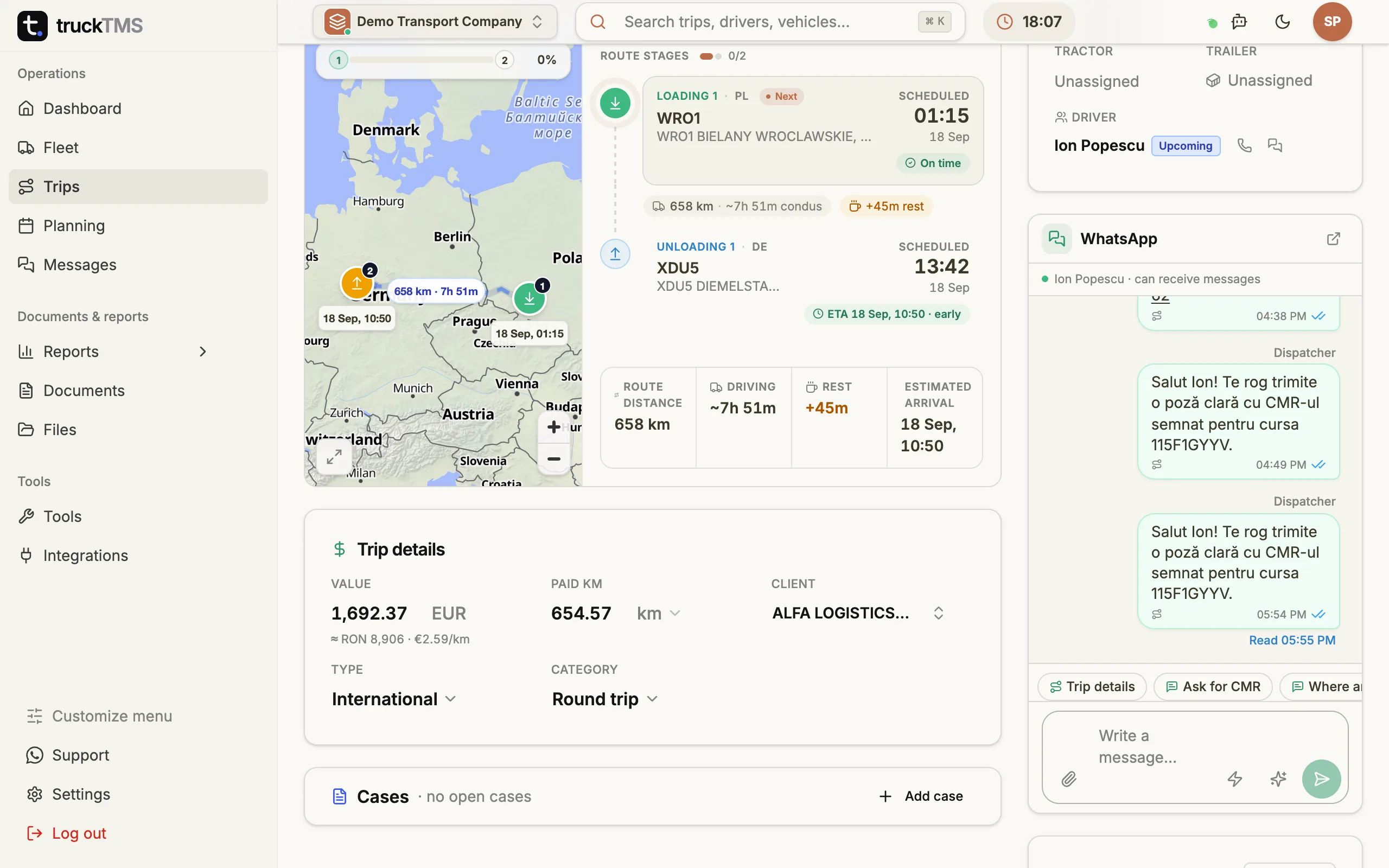
On every trip page, under the crew, the WhatsApp card has a tab for each driver with an unread count. Quick actions send the trip details or fill in a request for the CMR photo, the ETA or a loading confirmation. A file dropped on the card goes to the driver.
- Everything you send from the trip is tagged with its code, so in Messages you see which trip each message is about.
- Files from the driver show up in Files labelled “Sent on WhatsApp”.
- The trip history records when the notification went out and when the driver sent a file.
Quick messages for everyday requests
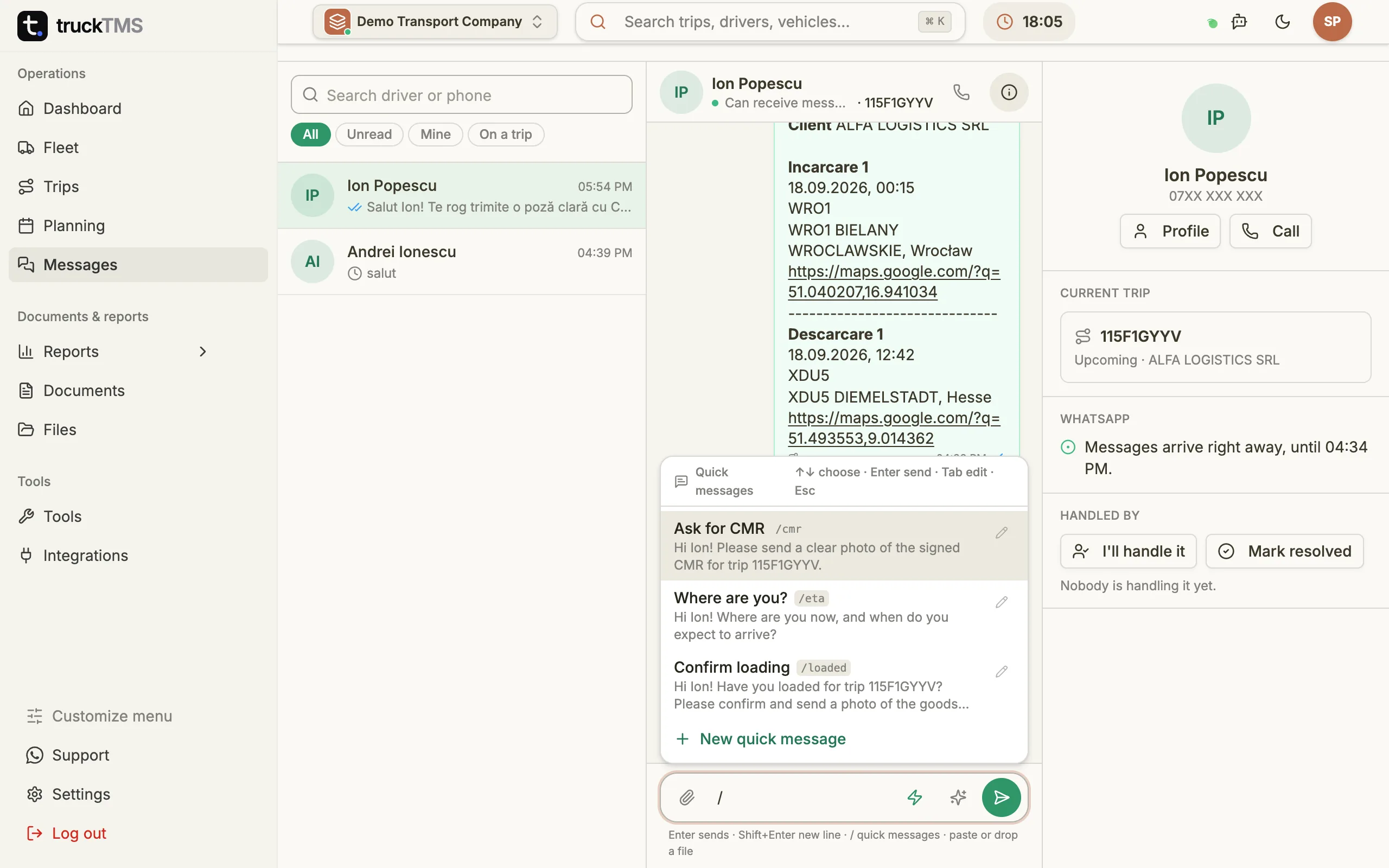
Dispatchers type the same things dozens of times a day: “send the CMR”, “where are you?”, “are you loaded?”. In truckTMS you save them once as quick messages, each with a name and a shortcut. Type / in the message box and pick one; Enter sends it, Tab puts it in the box so you can edit it first.
{vrid}, {driver} and {client} are filled in with the trip code, the driver's name and the customer. Admins and dispatchers can add and edit quick messages right from the chat.
Teamwork in dispatch
Any conversation can be taken by a dispatcher (“I'll handle it”), handed to a colleague or marked resolved. Internal notes sit in the same thread but are never sent to the driver: only the TMS shows them.
- The “Mine” filter shows only the conversations you are handling.
- A message that failed to send can be resent in one click.
- Photos and documents open in a viewer, with arrows between files.
WhatsApp's 24-hour rule
WhatsApp only allows free-form messages to a driver within 24 hours of their last message. The automatic new-trip notification goes out at any time, because it uses an approved template. If the 24-hour window has closed, your message waits and is sent as soon as the driver writes or answers the notification. The chat shows whether the window is open and until when.
How to switch on the WhatsApp integration
truckTMS manages the WhatsApp Business connection through Meta's official API: you don't need your own WhatsApp Business account or any other software.
- Give each driver a phone number with the international prefix (for example +40).
- Under Settings → Integrations, turn on the automatic new-trip message.
- An admin switches on WhatsApp chat for the whole company; conversations then appear in Messages.
WhatsApp on the dispatcher's phone vs. WhatsApp in truckTMS
| Dispatcher's phone | WhatsApp in truckTMS | |
|---|---|---|
| Trip details | Copied by hand from Excel | Sent automatically on assignment |
| CMRs and photos | In one phone's gallery | Attached to the trip, in Files |
| Who sees the chat | Only the dispatcher with the phone | The whole team, linked to the trip |
| Repeated messages | Typed every time | Quick messages with / |
| When a dispatcher leaves | The history leaves too | The history stays with the company |
Frequently asked questions
Does the driver need to install an app?
No. The driver uses the WhatsApp they already have. Their phone number just needs to be correct in truckTMS, with the international prefix.
What does the driver get when I assign a trip?
A WhatsApp message with the trip code, the customer, every loading and unloading stop with date and address, and a Google Maps link. If two drivers are on the trip, both get it.
Where do the CMRs the driver sends end up?
In Files, on the trip the driver is running at that moment. If they have no trip in progress, the file goes to the driver's profile.
Can I see whether the driver read my message?
Yes. You see the usual WhatsApp ticks: grey for sent and delivered, blue for read, plus the exact time for each.
Why is one of my messages “waiting”?
Because of WhatsApp's 24-hour rule. If the driver hasn't written in the last 24 hours, a free-form message goes out as soon as they write. The new-trip notification is not affected.
Does it handle voice messages?
Text, photos, documents and locations show in the chat. Voice and video messages are flagged in the conversation; playing them inside the TMS is coming.
How much does it cost?
truckTMS costs €7 per truck per month plus €12 per user per month, with a 30-day free trial. WhatsApp chat is a monthly add-on for the whole company, switched on by an admin. We'll give you the exact price in the demo.
Updated: