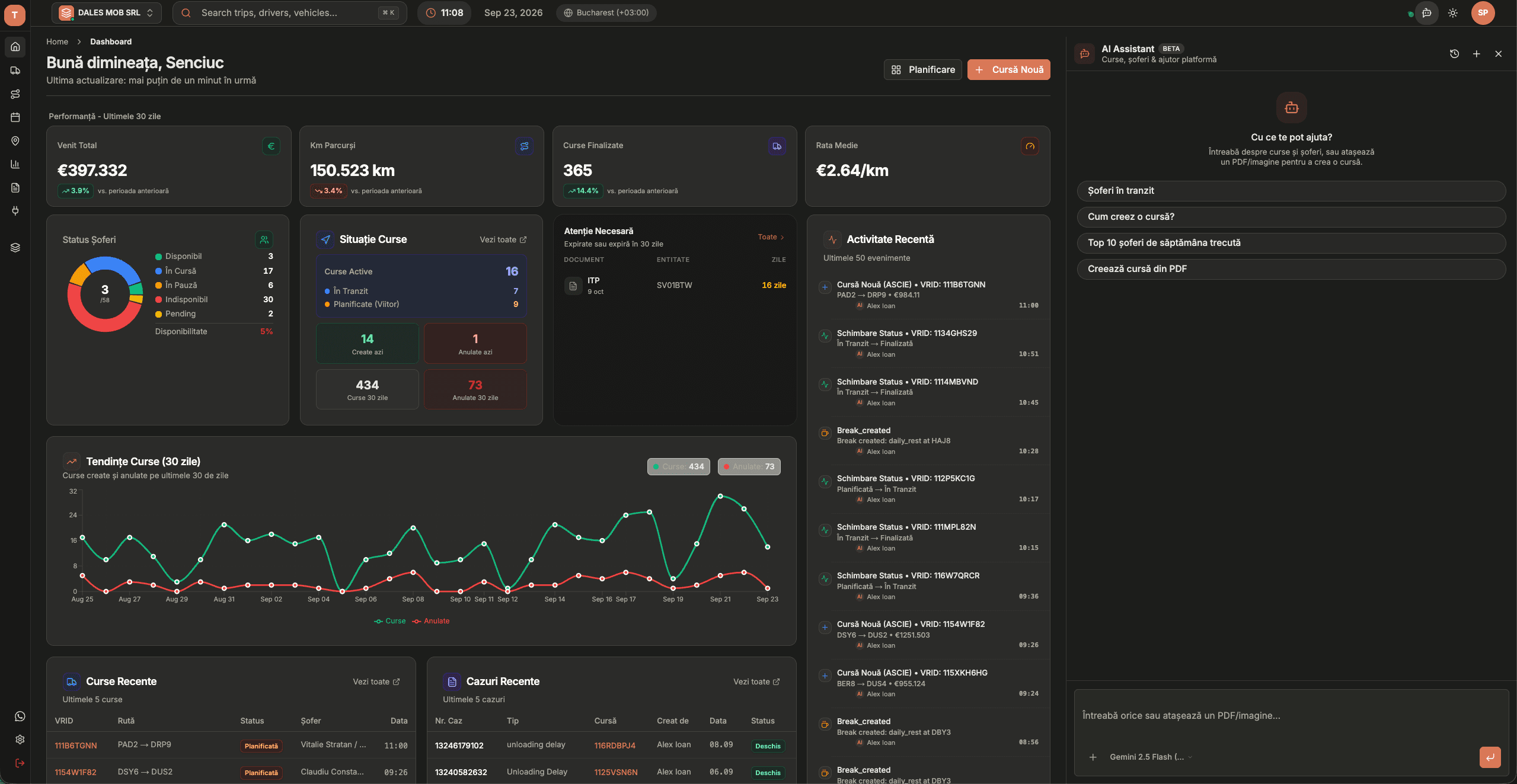
AI assistant · transport orders

From transport order to trip, with AI

Stop retyping addresses, dates and references from PDFs. Attach the order in the truckTMS AI assistant and get the trip prepared with every stop, ready to confirm.

No credit card · See pricing

From transport order to trip, with AI

How does truckTMS create a trip from a transport order?

In the AI assistant you attach the transport order as a PDF, photo or screenshot. truckTMS reads the document (OCR) and extracts the client, loading and unloading places and dates, references and price. The result appears as a draft trip that you check and confirm. The trip then goes into the trip list and the planning board like any other trip.

What truckTMS does

PDF, photo or screenshot

Works with orders received by email, scanned, or photographed with a phone.

Every stop

Loading and unloading points are extracted in order, including orders with several stops.

You confirm

The AI prepares a draft. Nothing is saved until you check and confirm the trip.

Questions about your data

The same assistant answers questions about trips, drivers, trucks and clients and finds expiring documents.

Assign from the chat

Assign the driver and truck straight from the conversation without switching pages.

Connector for Claude and ChatGPT

With the MCP connector you can read data and create or update trips from Claude, ChatGPT or Cursor.

Why it matters for dispatch

Typing in transport orders is one of the most repetitive dispatch tasks and a common source of mistakes: a wrong digit in a postcode or a swapped date sends a truck to the wrong place. When the AI prepares the trip, the dispatcher only checks it, and data entry drops from minutes to seconds.

What you can ask the AI assistant

  • “Which trucks are free tomorrow?”
  • “Which documents expire this month?”
  • “How many trips did we run for client X in September?”
  • “Create the trip from the attached order and put it on truck Y.”

Frequently asked questions

Which documents can the AI read?

Transport orders as PDFs, photos and screenshots. You attach the document in the conversation with the AI assistant.

Is the trip saved automatically?

No. The AI creates a draft that you review. The trip is saved only after you confirm it.

Does it work with orders in other languages?

Yes. The assistant reads orders in English, Romanian and other European languages common in road freight.

What happens to my documents?

The order is processed to extract trip data and stays in your company account. Other companies cannot see your data.

Does the AI assistant cost extra?

No. It is included in the truckTMS subscription: €7 per truck and €12 per user per month.

Updated:

More truckTMS solutions

Transport Order to Trip with AI – TMS with AI Assistant | truckTMS