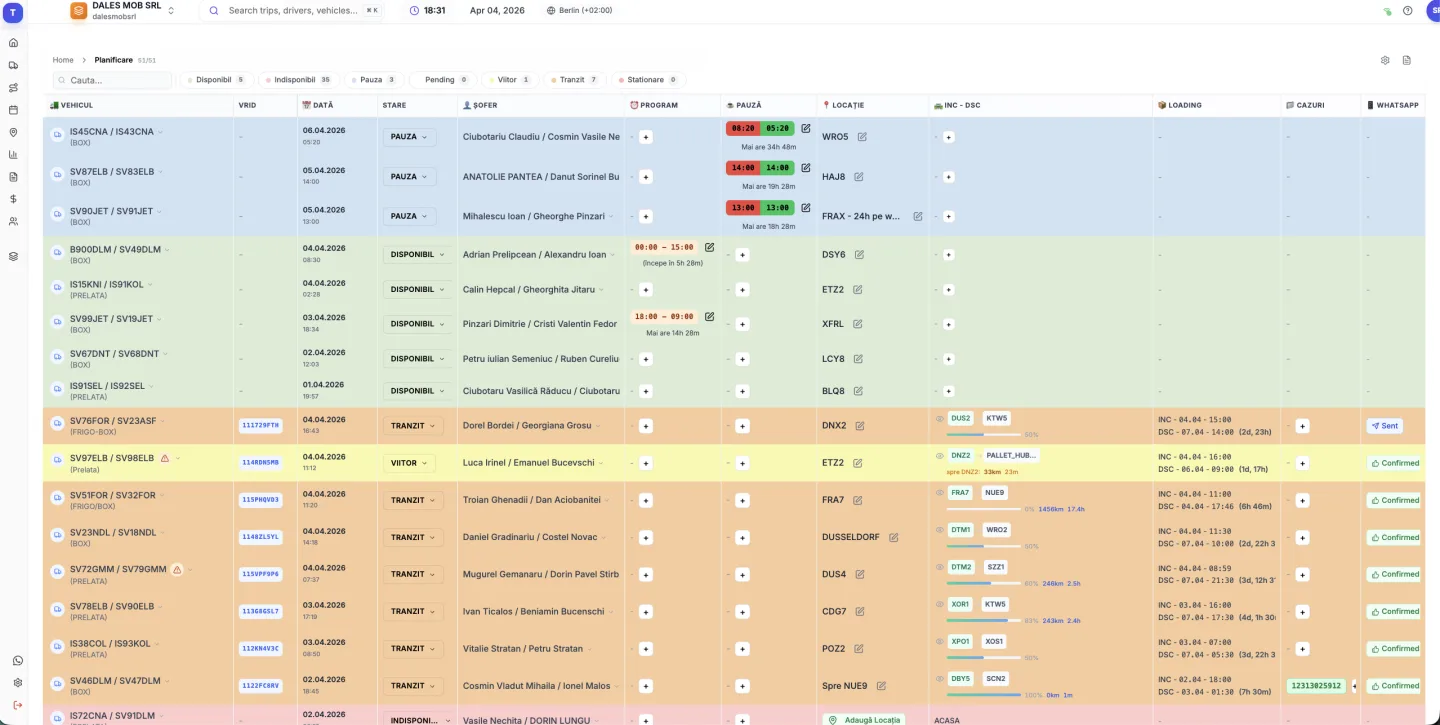
What TMS software should do for a haulier
Most transport companies look for a TMS when the spreadsheet stops keeping up: trips overlap, documents get lost in chat threads and nobody knows which truck is free tomorrow. Good TMS software fixes the daily dispatch problems first instead of adding admin work.
- one trip list that every dispatcher sees
- planning per truck and driver, so gaps and overlaps are obvious
- trip documents (order, CMR, POD) attached to the trip itself
- truck positions from the GPS system you already use
- monthly, per-truck and per-driver reports without copying data
How to choose a TMS
Ask how long it takes until the first dispatcher actually works in the system. A TMS that needs months of rollout costs more than its licence. Check that it connects to your current GPS provider and that you can export your data to Excel at any time.
Look at the pricing model too: truckTMS costs €7 per truck and €12 per user per month, with a discount for annual billing and no long-term contract. The free trial runs for 30 days and needs no credit card.
Who truckTMS is for
truckTMS is used by hauliers running their own fleet on domestic and international routes who want to move dispatch out of spreadsheets and WhatsApp into one system. The interface is available in English and Romanian.
Frequently asked questions
What does TMS stand for?
TMS stands for transport management system (or transportation management system): the software a transport company uses to manage trips, fleet, drivers and documents.
How much does TMS software cost?
truckTMS costs €7 per truck per month plus €12 per user per month, with a discount for annual plans. The pricing page calculates the exact amount for your fleet.
Can I try truckTMS for free?
Yes. The free trial lasts 30 days and needs no credit card. You can add your trucks, drivers and first trips and work with them right away.
Does truckTMS work with my GPS provider?
truckTMS integrates with Tracknamic, TrackGPS (Arobs) and Eurowag Telematics. For other providers you can request an integration in the app, or send data through the public API.
Do I need to install anything?
No. truckTMS runs in the browser at app.trucktms.ro, on desktop, tablet or phone.
Can I export my data?
Yes. Trips export to Excel, and reports and planning to PDF. A public REST API is also available for integrations.
Updated: